How to Create Custom Network Maps in Nagios Core 4.5.10: A Complete Guide for Sysadmins
Table of Contents
Introduction
Types of Nagios Core map
Collapsed Tree Map
Circular Map
Depth Layered Map
Parent–Child Relationships in Nagios
Creating Custom Maps in Nagios Core
Best Practices for Reliable Maps
Common Map and Dependency Problems
Conclusion
Frequently Asked Questions
Introduction
Monitoring environments grow quickly. What starts as a handful of servers can evolve into dozens or hundreds of devices, services, and dependencies. In these environments, visualisation becomes critical. One of the most useful visual tools in is the network map, which provides a graphical overview of infrastructure status and dependencies.This tutorial explains how to build fully functional custom maps in Nagios Core 4.5.10, including configuration examples, parent–child relationships and troubleshooting common issues.
Types of Nagios Core map
There are several types of map that are provided by Nagios Core as defult. We will cover the Collapsed Tree map, the Circular map and Depth Layered Map. There are also the Balanced Tree map and 2d coordinates map, although personally, I do not find these last two types of map as being the most intuitive and have a high maintenance overhead.
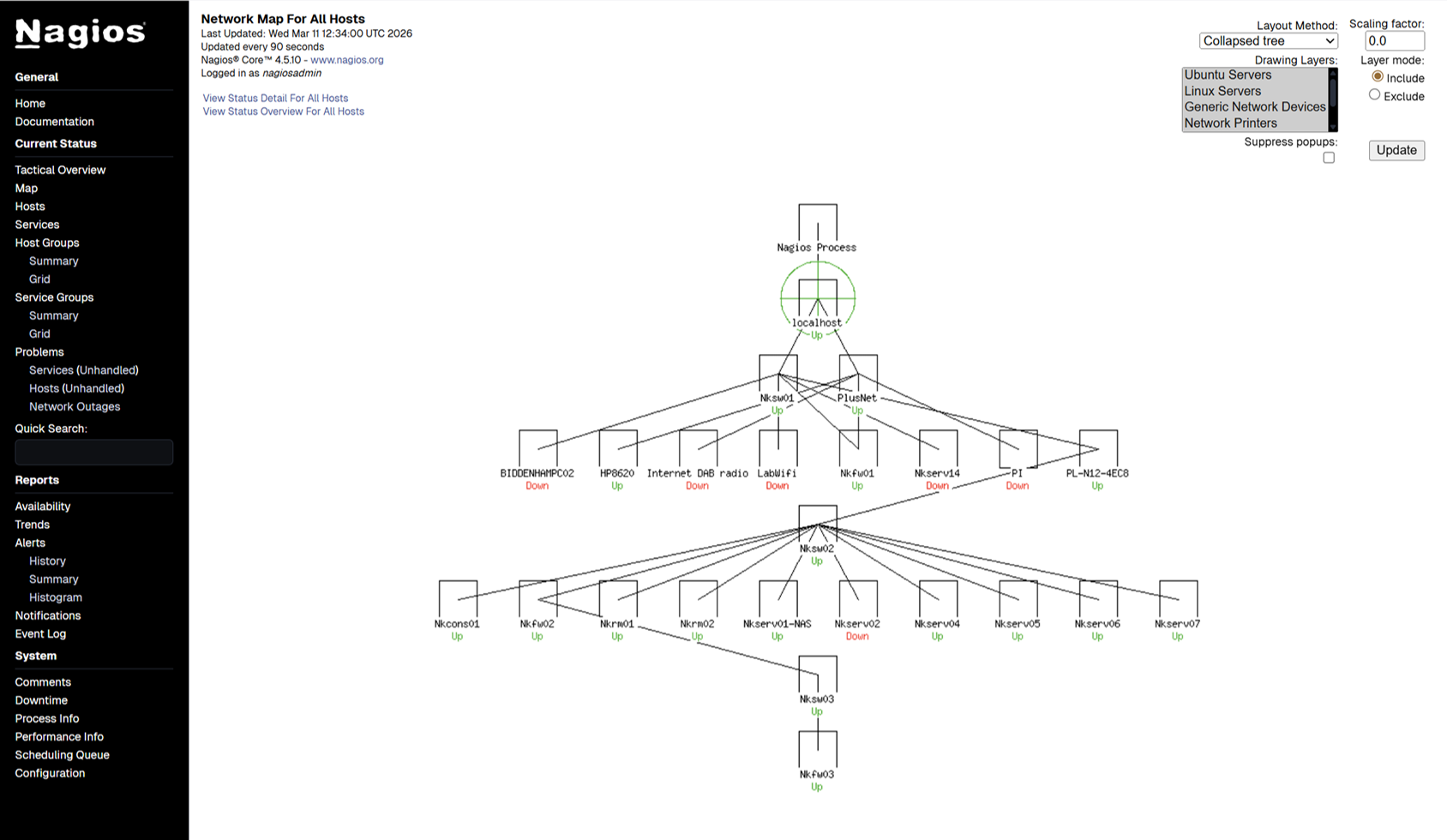
Collapsed Tree Map
The Collapsed Tree is one of the default Nagios network map layouts. It arranges hosts in a hierarchical tree structure based on configured parent relationships. Collapsed trees are best used in traditional layered networks where routers, switches, and hosts follow a hierarchical structure.
Benefits:
- Clear visualisation of dependencies
- Automatically arranged topology
- Easy to detect upstream failures
Disadvantages:
- Less suitable for complex or meshed networks
- Can become cluttered with large infrastructures
Circular Map
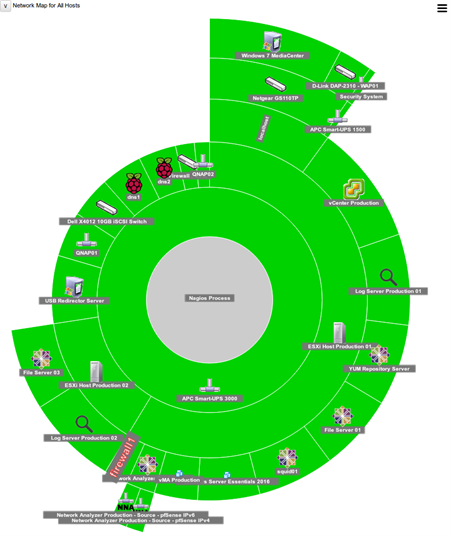
The Circular Map arranges hosts around a circle while preserving dependency relationships. Circular maps are useful when visualising flat infrastructures or small networks.
Benefits
- Compact layout for medium environments
- Easier to visualise host distribution
Disadvantages
- Parent-child relationships less visually intuitive
- Harder to read when many nodes exist
Depth Layered Map
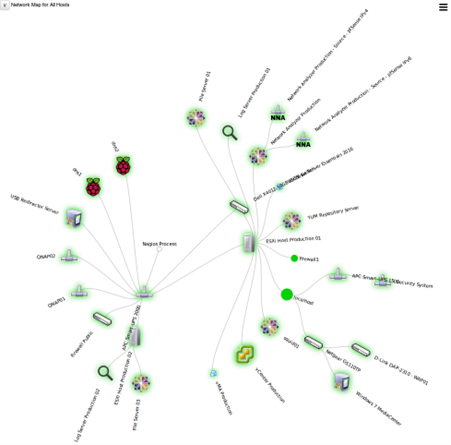
Depth-layered maps organise hosts based on the number of dependency levels from the root node.
Benefits
- Excellent for diagnosing upstream outages
- Very clear dependency structure
Disadvantages
- Requires accurate parent-child configuration
- Can become tall and unwieldy
Parent–Child Relationships in Nagios
Parent-child relationships define network dependencies between devices. The below example demonstrates these dependencies:
Internet Router → Core Switch → Access Switch
In Nagios configuration files, the relationships are described as per below:
define host {
    host_name       core-switch
    address         10.0.0.1
}

define host {
    host_name       access-switch
    address         10.0.0.2
    parents         core-switch
}

define host {
    host_name       app-server
    address         10.0.0.10
    parents         access-switch
}
Benefits of Parent Relationships
- Root cause detection: If a router fails, dependent hosts appear UNREACHABLE instead of DOWN.
- Cleaner alerts: Prevents unnecessary alert storms when upstream devices fail.
- Accurate network maps
Nagios maps rely heavily on these relationships.
Creating Custom Maps in Nagios Core
Step 1: Configure Hosts and Parents
Ensure that all of the hosts are defined with the correct dependencies. An example network might look like Router → Switch → Servers with the resulting configuration being laid out within a file in /usr/local/nagios/etc/objects:
define host {
    host_name   router
    address     192.168.1.1
}

define host {
    host_name   core-switch
    address     192.168.1.2
    parents     router
}

define host {
    host_name   web01
    address     192.168.1.100
    parents     core-switch
}
Step 2: Verify Configuration
Run Nagios validation:
/usr/local/nagios/bin/nagios -v /usr/local/nagios/etc/nagios.cfg
Restart Nagios:
systemctl restart nagios
Step 3: Access the Map
Navigate to: Nagios Web UI → Map
Nagios automatically builds the map based on parent relationships.
Best Practices for Reliable Maps
- Always define parent relationships
- Monitor infrastructure devices first
- Use consistent naming
- Separate host configuration files
- Test the map topology after every change
Example file structure might look like below and is defined in nagios.cfg:
hosts/
  routers.cfg
  switches.cfg
  servers.cfg
Common Map and Dependency Problems
Problem 1: Hosts appearing as orphans
Symptom: Hosts appear disconnected from the topology.
Cause: Missing parent definition.
Solution:Add the parents directive.
Problem 2: Everything appears under root
Symptom: Flat map with no hierarchy.
Cause: All hosts defined without parents.
Solution: Define upstream infrastructure devices.
Problem 3: Incorrect UNREACHABLE states
Symptom: Hosts show DOWN instead of UNREACHABLE.
Cause: Parent not monitored or misconfigured.
Solution: Ensure parent host has the command check_command check-host-alive defined and assigned to it
Problem 4: Missing devices from the map
Symptom: Devices that are known to be monitored are not shown on the map
Cause: The missing devices have not been configured with a hostgroup or the hostgroup has not been selected when generating the map
Solution: Go through the configuration files and check each missing device has a defined hostgroup and that any new hostgroups have been defined. Any changes to the configuration files will necessitate a restart of the Nagios daemon, by doing as previously described:
Run Nagios validation:
/usr/local/nagios/bin/nagios -v /usr/local/nagios/etc/nagios.cfg
Restart Nagios:
systemctl restart nagios
Conclusion
Custom network maps in Nagios provide powerful visibility into infrastructure health and dependencies. While built-in map types such as balanced, circular, and layered layouts offer quick visualisation, their effectiveness depends heavily on properly configured parent-child relationships. For larger environments, other tools such as Nagvis, Checkmk and OMD dramatically enhance visualisation and usability, but require their own installation and configuration. By combining accurate topology configuration with reliable agents such as NRPE and NCPA and an in depth understanding of the network architecture, administrators can transform Nagios from a simple monitoring engine into a powerful infrastructure visualisation platform.
Frequently Asked Questions
1. What are Nagios Core network maps?
Nagios network maps are graphical representations of monitored infrastructure. They display hosts and their dependencies using layouts such as balanced trees, circular maps, and layered topologies. These maps help administrators quickly identify network failures and upstream issues.
2. Why are parent-child relationships important in Nagios?
Parent-child relationships define network dependencies between hosts. When configured correctly, Nagios can determine whether a host is DOWN or UNREACHABLE. This prevents unnecessary alerts and helps administrators identify the true root cause of outages.